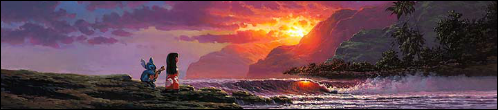
blackcauldron85 wrote:That's quite amazing!!!
Thanks!

blackcauldron85 wrote:Um, even more amazing!

Clearly I had too much time on my hands that day.

Sky Syndrome wrote:Ohmigosh, I
love that!

I know you used the Frog Naveen and Frog Tiana promotion picture with white background. But how did you manage to get the outer edges of them to retain their smoothness instead of being jagged? I know from experience if I editted that same promotion picture to transfer Frog Naveen and Frog Tiana to a dark blue background, they'd have ugly jagged outlines.
A little bit of advice: Save your artworks as png files instead of jpeg files. They'd look their most crisp.
Thanks! And actually, I used to post all my work as PNG's since you don't really have to worry about artifacts with those, but I slowed down with that a while back when I got so many complaints from people either not being able to save them or even see them due to their browser settings. I don't worry about what I post so much anymore since I keep a copy of the PSD file in case I ever need to pull up a higher-res version for whatever reason. But since you guys might be interested, I'll link the full-sized, high quality versions of the following mock-ups without the text and small logos (still has the movie logo though of course). Sorry, no spines or back covers for either, didn't really have time to do much more beyond this (although anyone that might like to try finishing them off is more than welcome to).
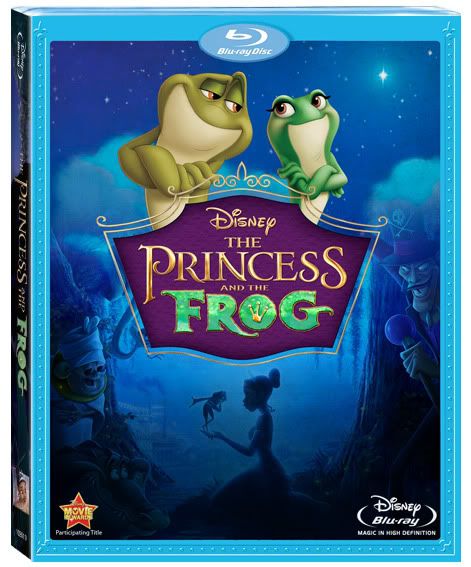
link to full-sized version, front panel only, no bottom logos:
http://www.enigmawing.com/princessandthefrogfull02.png
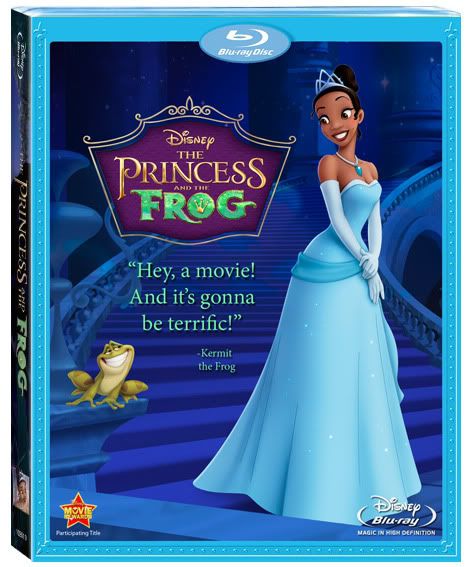
link to full-sized version, front panel only, no bottom logos or text:
http://fc01.deviantart.net/fs71/f/2010/ ... mawing.png
You'll be able to see some of the artifacts/mistakes/choppiness at this size, but should still look good if you'd like to try printing any.
Oh, and about the white jagged edges, it really helps to find the largest dimensions possible. The bigger the pic, the more likely that the magic wand tool will take out all the background and reduce the jagged appearance. It can also help to mess with the tolerance setting of the wand tool. And what doesn't get removed I clean up with the eraser tool, although sometimes I have to go back in with a brush and re-ink or color in faded edges.
ajmrowland wrote:Love It!!!!!! Only critique is that the characters on the bottom corners are barely visible.
Oh, and what's a good Disney movie without Gromit?
Thanks, and yeah . . . I wanted the bottom portion of the image to feel mysterious and fade out, almost like a texture in order to keep the main focus on the frogs . . . but I debated quite a bit on how much I wanted to blend it away. The initial version just had their legs under the logo!
Oh yeah, and you've gotta watch out for that Gromit, he's gotten awfully sneaky lately.







 Wasn't intended aha