Page 1 of 1
avatar help needed please
Posted: Sat Oct 28, 2006 6:35 pm
by anger is pointless
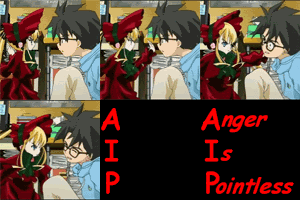
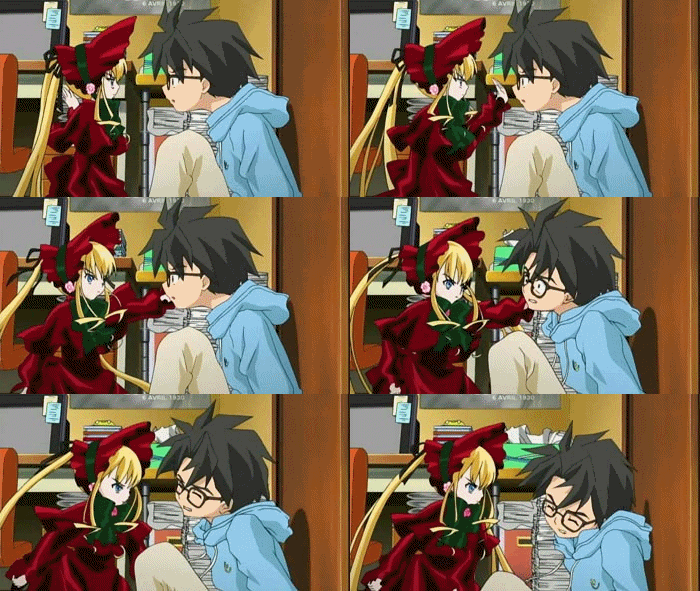
this is one of my favorite scenes from the anime rozen maiden and i was wondering if somebody could shrink it for me so i can use it as an avatar
pretty please
Posted: Sat Oct 28, 2006 7:51 pm
by Josh
Posted: Sat Oct 28, 2006 7:59 pm
by anger is pointless
wow cool i can just switch between them whenever i want
thanks for your help josh your the best
aww it says their too big can you make them smaller somehow
Posted: Sat Oct 28, 2006 8:02 pm
by Hogi Bear
Here's one, looks like Josh bet me to it though:

Posted: Sat Oct 28, 2006 8:06 pm
by Josh
anger is pointless wrote:aww it says their too big can you make them smaller somehow
Sorry...I don't know how to make them smaller

Try asking
TheSequelofDisney, I noticed his avatars usually are quite long, so you might want to see how he shrinks his avatars file size.
Posted: Sat Oct 28, 2006 8:06 pm
by anger is pointless
ok ill ask him thanks josh
Posted: Wed Nov 01, 2006 4:31 pm
by Beastboyravenz
Hi, I was wondering if any of you guys can make an avatar for me, but I don't know how to paste the pic, I know it's probably easy. But i don't know how. I tried shrinking a pic into avatar size but it didn't work. Please help me.
Posted: Wed Nov 01, 2006 7:34 pm
by TheSequelOfDisney
Beastboyravenz wrote:Hi, I was wondering if any of you guys can make an avatar for me, but I don't know how to paste the pic, I know it's probably easy. But i don't know how. I tried shrinking a pic into avatar size but it didn't work. Please help me.
What do you need help with? I'll gladly help, if I know what you are asking, of course.
TSoD
Posted: Wed Nov 01, 2006 7:52 pm
by Beastboyravenz
What I meant was that I don't know how to paste the pic of what I would like as an avatar on the forum. And I already made my own avatar thank you.
Posted: Thu Nov 02, 2006 12:18 am
by anger is pointless
you dont have to paste it just put it in your picture folder on nyour computer
and then go to profile on ud and browse for the picture by clicking the browse button in profile
Posted: Thu Nov 02, 2006 12:41 am
by Lazario
About 2 months ago, I found the most amazing Photo/pic Resizing site:
http://www.resize2mail.com/index.cfm
Just click the ON YOUR OWN option on the thing that says Options just above the big marroon-colored
1, browse your computer for the Photo you want, and under
2, say max size 100 height and 100 width for anymore avatars you want to resize. Best of all, the resizing doesn't affect the quality at all.
Posted: Thu Nov 02, 2006 9:59 am
by Beastboyravenz
Thank you Anger is Pointless and Lazario, it's good to know two of you did understand me. I really appreciate it, but I managed to make my own. Thank you very much for your help.

Posted: Thu Nov 02, 2006 10:12 am
by Beastboyravenz
Lazario, number 2 only gives three different size options and 100 x100 isn't one of them. Can you help?
Posted: Thu Nov 02, 2006 10:19 am
by Beastboyravenz
Nevermind I got! Thank you very much.
Posted: Fri Nov 03, 2006 10:02 pm
by Josh
I've resized it for you so it's under 24kb.
Its worse quality though, and I had to remove a frame, sorry if it looks grainy and faded, its the best I could do in order to stay under U.D's bandwidth.
Here you go:

Posted: Sat Nov 04, 2006 1:55 pm
by anger is pointless
its great josh thank you
 Oh well, I was bored so it gave me something to do, thanks!