Page 1 of 9
Show off your desktop picture!
Posted: Thu Jul 21, 2005 2:37 am
by anger is pointless
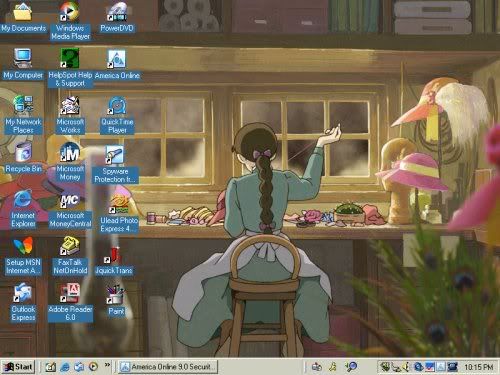
heres my desktop piccy i took this while i was watching shrek 2 on my windvd player

isnt he adorable
ok guys now its your turn to show off your desktop piccys
have fun everyone
Posted: Thu Jul 21, 2005 4:49 am
by Lightyear

My newphew on his first time in the pool..
Posted: Thu Jul 21, 2005 11:25 am
by Tom in North Carolina
Posted: Thu Jul 21, 2005 1:36 pm
by Incrediholics Anonymous
Posted: Thu Jul 21, 2005 1:52 pm
by Wonderlicious
<img src="
http://img.photobucket.com/albums/v337/ ... esktop.bmp">
Complete with anti-Pooh Cheapquel wallpaper!

Posted: Thu Jul 21, 2005 2:12 pm
by SofaKing381222
I always use this: The DVDs I HAVE TO GET
i give you my desktop:
<img src="
http://i5.photobucket.com/albums/y171/S ... ESKTOP.jpg" alt="Image hosted by Photobucket.com">
Posted: Thu Jul 21, 2005 5:41 pm
by Miss Jo
OK, I looked all over the Internet trying to find out how to do this, but couldn't find any help. I saved a screenshot of my desktop as a JPEG in MS Word, but now how do I get it here?
P.S. Awesome desktop, SofaKing.

Posted: Thu Jul 21, 2005 6:00 pm
by deathie mouse
Miss Jo you have to host the pic online in some pic hosting site like ImageShack, and then embbed the pix on your post when typing it.
-o-
An older thread about member's puter systems with some of their desktops can be seen <a href="
http://www.ultimatedisney.com/forum/vie ... 9">here</a>

Posted: Thu Jul 21, 2005 6:20 pm
by anger is pointless
you can take a piccy of your desktop then go to paint on your computer
press uh i think its control v thatll put the piccy on there then you can save it
and go to photobucket or abnother site that hosts piccys and put the piccy on photobucket then copy the image link and post it here when you repley
Posted: Thu Jul 21, 2005 6:47 pm
by Miss Jo
Thanks a bunch,
Deathie Mouse and
Anger is Pointless.
OK, here's my current desktop. I change it every few days to a different
Beauty and the Beast screenshot, usually one from the ballroom scene. Makes me smile every time I turn on my computer.
Ah, I love BATB.

Posted: Thu Jul 21, 2005 7:40 pm
by Little Red Henski
Posted: Thu Jul 21, 2005 8:51 pm
by Paka

Purple hibiscus!! *squee*
Posted: Thu Jul 21, 2005 9:37 pm
by SofaKing381222
Miss Jo wrote:PS. Awesome desktop, SofaKing.
thanks;

You too! I love that!
Posted: Fri Jul 22, 2005 12:10 am
by Hogi Bear
I took these this morning, but didn't have enough time to post them:


I also have Luxo Jr as My Computer icon.
Posted: Fri Jul 22, 2005 7:29 am
by Isidour
I love all the wallpapers, and the one of all the DVDs is pretty cool
Too bad my pc is broke

but I´ll post mine as soon it´s fixed
Posted: Wed Aug 03, 2005 12:43 pm
by CJ
Posted: Wed Aug 03, 2005 12:47 pm
by Disneykid
Here's mine:

I had this up in honor of Alice's 54th anniversary last week, and am changing it to something Goblet of Fire-related this weekend since that's when the new trailer's being released.
Posted: Wed Aug 03, 2005 1:15 pm
by SofaKing381222
Disneykid wrote:and am changing it to something Goblet of Fire-related this weekend since that's when the new trailer's being released.
WHAT?!  Where'd you hear that?! I want details! I haven't heard anything!
Posted: Wed Aug 03, 2005 1:15 pm
by Kram Nebuer
Um...I feel stupid. How do you take a screencap? I've searched in the Help Center for Windows XP but I can't find how to do it. I would just show the picture I use from online (
www.KH2.co.uk, a GREAT KH site), but that site doesn't work anymore.
Posted: Wed Aug 03, 2005 1:22 pm
by SofaKing381222
on your keyboard there should be a "Print Screen" button that will capture the image. On "Paint" you Cntrl+V and it pastes and then u upload it to PhtotBucket or some other image hosting